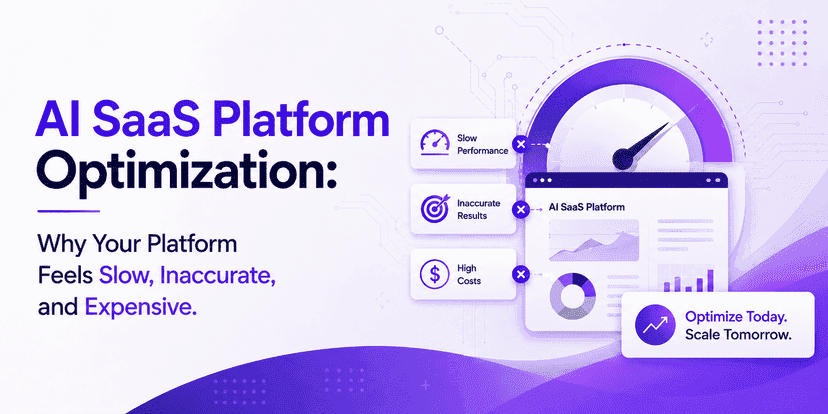
AI SaaS Platform Optimization: Why Your Platform Feels Slow, Inaccurate, Expensive
 Karuna
Your AI SaaS product worked beautifully in the demo.
Then real users arrived.
Responses became slower.
Cloud costs increased.
The AI started giving weak or inconsistent answers.
One customer received a response in two seconds. Another waited twelve.
Your engineering team blamed the model.
Finance blamed infrastructure.
The product blamed the prompts.
Everyone may be partly right.
That is the real problem.
AI SaaS platform optimization is not one performance fix. It is the process of improving the full path between a user request and a useful result.
That path may include:
- Frontend requests
- API gateways
- Authentication
- Databases
- Vector search
- Retrieval pipelines
- Large language models
- AI agents
- External tools
- Cloud infrastructure
- Logging
- Safety checks
- Response rendering
A bottleneck anywhere can make the whole platform feel slow, inaccurate, or expensive.
Google Cloud's AI and ML architecture guidance makes the same broader point: AI performance must be optimised against business and technical goals across the model lifecycle, not treated as a single-model problem.
You will learn:
- What AI SaaS platform optimisation really means
- Why AI SaaS performance declines as usage grows
- How to find latency and quality bottlenecks
- How to reduce AI inference costs
- How to improve AI application performance
- Which metrics matter
- Which optimisation mistakes create more problems
- How to build a faster and more scalable AI SaaS platform
What is AI SaaS platform optimisation?
AI SaaS platform optimisation is the continuous improvement of an AI-powered SaaS system across speed, accuracy, reliability, scalability, and operating cost.
It covers much more than model optimisation.
A complete optimisation strategy can include:
Application performance
- Frontend rendering
- API latency
- Database queries
- Caching
- Network calls
AI performance
- Model selection
- Prompt length
- Context size
- Output length
- Model routing
- Streaming
Retrieval performance
- Embedding quality
- Chunking
- Vector search
- Ranking
- Document freshness
Infrastructure performance
- Autoscaling
- GPU or CPU utilisation
- Queue design
- Load balancing
- Region placement
Cost performance
- Token consumption
- Idle infrastructure
- Expensive model overuse
- Duplicate requests
- Unnecessary retrieval
Good AI SaaS performance optimisation balances all five.
Why is my AI SaaS platform slow?
Because your user is often waiting on several systems, not one.
A simple AI request might look like this:
User → API → authentication → database → vector search → LLM → formatter → frontend
An agentic workflow can become:
User → model → search → model → CRM → model → database → model → validation → final response
Every step adds latency.
A common mistake is measuring only model inference time.
Suppose your model responds in 1.5 seconds.
But your system also spends:
- 300 ms authenticating
- 700 ms querying data
- 900 ms retrieving documents
- 600 ms calling another API
- 500 ms formatting results
Your user does not experience a 1.5-second model.
They experience a 4.5-second product.
That is why AI SaaS platform performance must be measured end to end.
Why does AI SaaS become more expensive as it grows?
Because usage exposes architectural waste.
At 100 requests per day, inefficient prompts barely matter.
At 1 million requests per month, they do.
Imagine each request sends 8,000 tokens of context when only 2,000 are useful.
You are paying for the extra 6,000 every time.
Model choice also matters.
OpenAI's current standard API pricing shows a large spread between model tiers. GPT-5.6 Luna is listed at $0.20 per million input tokens and $1.20 per million output tokens, while GPT-5.6 Sol is listed at $5 and $30, respectively.
That means a system that uses a frontier model for every task can cost many times more than one that routes simple work to a smaller model.
The expensive architecture is often not:
“We use AI.”
It is:
“We use the most expensive path for every request.”
Why does an AI SaaS platform become inaccurate?
Accuracy usually breaks for one of five reasons:
- The model receives poor instructions.
- The model receives bad or irrelevant context.
- The retrieval layer finds the wrong information.
- The workflow gives the model too much responsibility.
- The system lacks evaluation and feedback loops.
The first instinct is often:
“We need a better model.”
Sometimes you do.
But many quality problems come from the application around the model.
A strong model with poor retrieval can still give a poor answer.
A smaller model with clean context and clear instructions may perform better on a narrow task.
This is why AI model optimisation and AI application optimisation should be treated as related but separate jobs.
Why is AI SaaS platform optimisation important?
Because latency, quality, and cost affect each other.
Reduce context too aggressively, and accuracy may fall.
Use a stronger model, and quality may rise while margins collapse.
Add five agent steps and capability may improve while latency doubles.
Optimisation is therefore a business trade-off.
The goal is not:
“Make everything as fast as possible.”
The better goal is:
Deliver the required quality at the lowest acceptable latency and cost.
Who needs AI SaaS optimisation?
You should consider a serious optimisation effort if your platform shows any of these signs:
- AI responses regularly take more than a few seconds
- Token spending grows faster than customers
- Users report inconsistent answers
- Retrieval often returns irrelevant content
- Infrastructure sits idle between traffic spikes
- You use the same model for every request
- Agent workflows make unnecessary tool calls
- Support complaints increase as traffic grows
- Gross margin is falling
- Developers cannot explain where latency occurs
If that sounds familiar, you do not necessarily need a rebuild.
You need visibility first.
Benefits
1. Faster user experience
Speed changes how users perceive intelligence.
A five-second wait feels very different from a near-immediate streamed response.
Optimisation can improve perceived speed through:
- Streaming
- Parallel calls
- Better caching
- Smaller context
- Faster retrieval
- Regional deployment
- Model routing
- Reduced agent steps
Google Cloud recommends setting explicit performance objectives and measuring performance throughout the AI lifecycle rather than optimising without defined targets.
That is a useful rule.
Do not optimise "speed".
Optimise time to a useful answer.
2. Lower AI SaaS operating costs
Cost optimisation usually comes from many small decisions.
For example:
Before optimisation:
- One large model
- 10,000-token prompts
- Full document retrieval
- No caching
- Every task synchronous
After optimisation:
- Smaller model for simple requests
- Large model only for complex reasoning
- 3,000-token context
- Cached repeated context
- Batch processing for offline jobs
OpenAI currently offers cached-input discounts and a Batch API with 50% lower input and output pricing for suitable asynchronous workloads.
AWS similarly recommends matching inference mode to workload: real-time for consistent low-latency needs, asynchronous or serverless options for different traffic patterns, and batch inference for offline jobs.
The point is simple:
AI SaaS cost optimisation begins with workload design.
3. Better answer quality
Optimisation is not only about speed.
It can improve quality by removing noise.
A model receiving 20 weak documents may perform worse than one receiving three highly relevant documents.
Better retrieval can provide:
- Cleaner context
- Higher relevance
- Fewer contradictions
- More grounded answers
Prompt optimisation can also improve consistency.
Google Cloud recommends systematic prompt evaluation and automated evaluation rather than relying only on manual prompt tweaking.
4. Better scalability
A platform that works at 1,000 requests may fail at 100,000.
Optimised systems separate work by urgency.
For example:
Real-time
- Chat
- Search
- Interactive recommendations
Asynchronous
- Report generation
- Long document analysis
- Bulk classification
Batch
- Nightly enrichment
- Embedding refresh
- Large data processing
This prevents expensive real-time infrastructure from doing work that users are not waiting for.
That improves AI SaaS scalability and cost efficiency at the same time.
5. Better gross margins
A SaaS business can grow revenue while becoming less profitable.
This happens when infrastructure and inference costs grow faster than customer value.
Track:
AI cost per active user
and
AI cost per successful workflow
These numbers matter more than total API spend.
A $20,000 monthly model bill may be excellent if it supports $500,000 in recurring revenue.
A $5,000 bill may be terrible if the product generates $10,000.
Optimisation should protect unit economics, not simply minimise spending.
Process (Step-by-Step)
Step 1: Measure the entire request path.
Before changing anything, trace one request.
Record:
- Frontend time
- Network time
- Authentication
- Database time
- Retrieval time
- Model queue time
- Model generation time
- External API time
- Post-processing time
Use percentiles.
Average latency can hide problems.
A platform may average three seconds, while 10% of users wait twelve.
Track at least:
- P50
- P95
- P99
This shows the real user experience.
Step 2: Define performance targets
Set targets tied to workflow importance.
Example:

Not every workflow needs the same latency.
Trying to make every task real-time is an expensive mistake.
Step 3: Profile token usage
Find out what you send to the model.
Look for:
- Repeated system prompts
- Oversized chat history
- Entire documents
- Duplicate retrieval results
- Large tool outputs
- Verbose model responses
Then ask:
Does the model need all of this?
Context should contain the minimum information required to produce a correct answer.
Not the maximum information available.
Step 4: Implement model routing.
Do not use one model for everything.
Create task classes.
Low-complexity tasks
Use smaller, faster models.
Examples:
- Classification
- Extraction
- Formatting
- Intent detection
Medium-complexity tasks
Use balanced models.
Examples:
- Summarisation
- Customer support
- Structured generation
High-complexity tasks
Use stronger models.
Examples:
- Complex planning
- Ambiguous reasoning
- Multi-step agent tasks
This can be one of the strongest levers for AI SaaS cost optimisation.
Step 5: Optimise retrieval
If you use RAG, profile the retrieval layer separately.
Test:
- Chunk size
- Overlap
- Top-k
- Hybrid search
- Metadata filters
- Reranking
- Document freshness
Do not assume retrieval works because the vector database returned results.
Measure whether the retrieved content actually helps the model answer correctly.
Step 6: Parallelise independent operations.
Imagine the platform needs:
- Customer profile
- Product inventory
- User permissions
If these are independent, call them in parallel.
Do not wait:
profile → inventory → permissions
when you can execute:
profile + inventory + permissions
at the same time.
This simple architecture change can remove seconds from complex workflows.
Step 7: Cache intelligently
Cache where repetition exists.
Possible targets:
- Embeddings
- Retrieval results
- Model responses
- Prompt prefixes
- Product data
- User permissions
- External API responses
But use cache rules carefully.
Do not cache fast-changing information without invalidation.
The goal is not more caching.
The goal is avoiding repeated computation that does not create new value.
Step 8: Optimise infrastructure
For self-hosted models, measure:
- CPU utilisation
- GPU utilisation
- Memory
- Queue depth
- Batch size
- Autoscaling delay
AWS recommends evaluating endpoint utilisation and choosing inference options that match workload patterns, including consolidating underused endpoints where appropriate.
For API-based AI systems, infrastructure optimisation still matters around:
- Databases
- APIs
- networking
- queues
- worker pools
- caching
Step 9: Reduce unnecessary agent steps
Agentic systems can quietly become expensive.
A workflow may do:
- Model decision
- Search
- Model decision
- CRM call
- Model decision
- Database call
- Model validation
- Final response
Ask whether steps 3 and 5 actually need AI.
Some decisions can become deterministic code.
Good architecture uses AI only where judgement is valuable.
Step 10: Build evaluation into deployment
Every optimisation can break something.
A shorter prompt may reduce cost but lower quality.
A smaller model may improve speed but fail on edge cases.
Create evaluation datasets.
Run them whenever you change:
- Models
- Prompts
- Retrieval
- Tools
- Routing
- Context limits
NIST recommends that AI risk be governed, mapped, measured, and managed across the system lifecycle.
Optimisation without evaluation is guessing.
Challenges
Challenge 1: Optimising the wrong layer
Teams often start with the model because it is visible.
But the bottleneck may be:
- Slow database queries
- Sequential APIs
- Weak retrieval
- Huge payloads
- Frontend rendering
Best practice: Trace before optimising.
Challenge 2: Cutting tokens until quality breaks
Token reduction is useful.
Blind token reduction is not.
A prompt that becomes 30% cheaper but creates 10% more failed workflows may increase total cost.
Optimise for:
cost per successful outcome
not:
cost per model call.
Challenge 3: Using averages
Average latency can look healthy while a meaningful percentage of users suffer.
Always inspect tail latency.
P95 matters because those slow requests often create support tickets and churn.
Challenge 4: Treating model output as the final answer
Production applications need validation.
Depending on risk, validate:
- JSON structure
- Required fields
- Citations
- Business rules
- Permissions
- Tool parameters
AI should not bypass deterministic controls.
Challenge 5: Letting agents do too much
An AI agent should not receive broad access simply because it can use tools.
NIST's generative AI risk guidance stresses lifecycle risk management, while industry security practice generally favours controlled access and monitoring for systems that can take consequential actions.
Use:
- Narrow tool permissions
- Explicit schemas
- Human approval for high-risk actions
- Audit trails
Challenge 6: Scaling before understanding unit economics
Do not ask:
“Can this architecture support one million users?”
before asking:
“Can we profitably serve ten thousand?”
Know the cost of one successful workflow first.
Then scale it.
Which metrics matter for AI SaaS performance?
A practical dashboard should include four groups.
Speed metrics
- Time to first token
- End-to-end latency
- P50 latency
- P95 latency
- Tool-call latency
- Retrieval latency
Quality metrics
- Task success rate
- Grounded-answer rate
- Retrieval relevance
- Hallucination rate
- User correction rate
- Human escalation rate
Cost metrics
- Tokens per request
- Model cost per request
- Cost per successful workflow
- AI cost per active user
- Infrastructure cost per user
- Gross margin
Reliability metrics
- API failure rate
- Timeout rate
- Retry rate
- Agent failure rate
- Availability
What performance improvement should you target?
There is no universal number.
Use the current system as the baseline.
A practical optimisation programme might target:
- 20–50% reduction in end-to-end latency
- 20–60% reduction in token usage
- 15–40% reduction in AI cost per workflow
- Higher task success with fewer retries
- Lower P95 latency during peak traffic
These are reasonable project targets, not guaranteed industry benchmarks.
The actual result depends on how inefficient the starting architecture is.
A badly optimised platform may improve far more.
An already mature platform may see smaller gains.
What can model routing change?
Consider one million monthly requests.
Suppose each request uses:
- 2,000 input tokens
- 400 output tokens
If every request uses a higher-cost model, costs can be many times larger than routing routine tasks to a smaller model.
OpenAI's current published prices illustrate how wide that difference can be across model tiers.
Even if only 70% of tasks can move to a cheaper tier, the unit economics may change dramatically.
What infrastructure savings are possible?
Workload matching matters.
AWS states that different inference modes can reduce waste based on traffic patterns, and its SageMaker Savings Plans can reduce eligible machine-learning infrastructure costs by up to 64% for committed usage.
That does not mean every SaaS company should buy a commitment plan.
It means predictable workloads should not always be priced like unpredictable ones.
Conclusion
A slow AI SaaS platform is rarely caused by one thing.
A costly platform is rarely fixed by negotiating one API price.
An inaccurate platform is rarely solved by switching to the biggest model.
The platform is a system.
That is the core idea behind AI SaaS platform optimisation.
You need to understand:
- Where time is spent
- Where tokens are wasted
- Where retrieval fails
- Where agents make unnecessary decisions
- Where infrastructure sits idle
- Where expensive models are overused
- Where accuracy actually breaks
Then optimise the whole path.
The strongest AI SaaS architecture is not the architecture with the most AI.
It is the one that uses AI exactly where AI creates value.
Everything else should be fast, deterministic, observable, and cost-controlled.
FAQs
1. How do you optimise an AI SaaS platform?
Start by tracing the full user request from the frontend to the final output. Measure latency, token usage, retrieval quality, model calls, infrastructure utilisation, and errors. Then optimise the largest bottleneck first.
2. How can I improve AI SaaS platform performance?
Focus on end-to-end performance. Use faster retrieval, parallel API calls, caching, model routing, shorter context, streaming responses, and better infrastructure scaling.
3. How do you make an AI SaaS platform faster?
Reduce sequential operations, stream output early, cache repeated work, optimise database and retrieval queries, and use smaller models for simple tasks.
4. Why is my AI SaaS platform slow?
Common causes include oversized prompts, slow retrieval, sequential API calls, overloaded inference endpoints, agent loops, slow databases, and weak network architecture.
5. How can I reduce AI SaaS latency?
Measure P50 and P95 latency for each system component. Then optimise the slowest stage through parallelisation, caching, smaller models, regional deployment, or workflow redesign.
6. How do I improve AI application response time?
Reduce context size, use streaming, precompute embeddings, cache common requests, parallelise independent calls, and route simple tasks to lower-latency models.
7. How can I reduce AI inference costs?
Use smaller models where possible, reduce unnecessary tokens, cache repeated context, batch offline work, limit output length, and avoid unnecessary agent calls.
8. How do I optimise AI SaaS infrastructure costs?
Match infrastructure to workload. Use autoscaling, serverless or asynchronous processing where appropriate, consolidate underused resources, and monitor CPU/GPU utilisation.
9. How can I reduce AI SaaS operating costs?
Track cost per successful workflow. Optimise model routing, token usage, infrastructure, retrieval, API calls, retries, and idle resources rather than focusing on model price alone.
10. What is the most important AI SaaS optimisation metric?
There is no single metric, but cost per successful user outcome is one of the most useful business measures because it combines quality and cost.
Your AI SaaS Platform Should Get Better as It Scales — Not Slower and More Expensive
If your AI product is suffering from rising inference costs, slow responses, inconsistent outputs, or scaling problems, adding more infrastructure may not solve it.
The problem may be architectural.
InfiniAppsAI provides AI SaaS development services and optimisation support across:
- AI SaaS performance optimisation
- AI SaaS platform development
- AI SaaS application development
- AI application optimisation
- AI model optimisation
- AI software optimisation
- RAG performance
- AI SaaS scalability
- AI SaaS cost optimisation
- Backend and cloud architecture
We help technical teams identify where latency, quality, and cost are being lost—and redesign the system around measurable business outcomes.
Book a free AI SaaS architecture and performance consultation to identify the bottlenecks before you spend more on infrastructure.