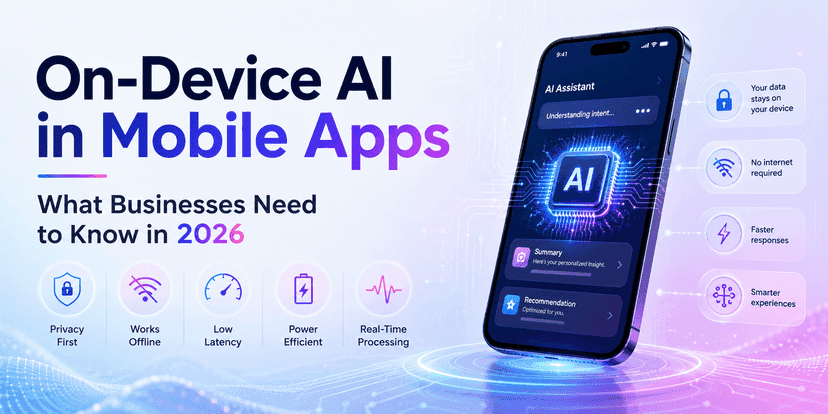
Next-Gen SaaS Mobile Apps: Integrating AI for Smarter User Experiences
 Karuna
Next-gen SaaS mobile apps use AI integration to make apps feel smarter and easier to use. AI can improve the user experience by helping with:
- faster onboarding
- smarter search
- better recommendations
- helpful chat support
- safer security checks
- fewer clicks to finish tasks
This guide explains:
- what “AI integration” means for SaaS mobile apps
- the best AI features to build
- a simple build workflow
- prompts you can copy
- risks to avoid
- best practices for stable, trusted apps
What Are Next-Gen SaaS Mobile Apps?
A SaaS mobile app is a mobile app that connects to a SaaS platform. It helps users do work on the go.
Examples include:
- CRM apps
- HR tools
- finance dashboards
- support ticket systems
- project management apps
What makes an app "next-gen"?
A next-gen SaaS mobile app often has:
- fast loading
- simple navigation
- strong security
- real-time updates
- AI-driven help for users
What Does “Integrating AI” Mean in a Mobile SaaS App?
AI integration means adding AI features inside the app experience.
This can include:
- AI chat support inside the app
- AI search that understands intent
- AI suggestions and recommendations
- AI summaries of data
- AI alerts and next steps
- AI-based security checks
Simple definition
AI integration in SaaS mobile apps means using AI to help users complete tasks faster and with less effort.
Why AI Creates Smarter User Experiences
Users want simple apps. They do not want to learn complex flows.
AI helps by:
- reducing steps
- showing the right info first
- guiding users when they are stuck
- writing drafts and summaries
- making search more accurate
A smart user experience feels like this.
- fewer taps
- fewer forms
- fewer errors
- faster results
- clear next steps
Best AI Features for SaaS Mobile Apps
Below are practical AI features that work well in SaaS apps.
1) AI onboarding helper
Many users drop during onboarding.
AI can:
- ask simple questions
- set preferences
- guide setup
- explain app features
Example:
- “What is your goal today?”
- “Do you want a quick setup or a detailed setup?”
2) AI search with intent
Normal search matches keywords. AI search understands intent.
Examples:
- “Show last month's invoices."
- “Find tickets not answered”
- “Who is my top customer?”
AI search improves UX because users do not need exact words.
3) AI summaries for dashboards
Dashboards can be heavy.
AI can provide:
- daily summary
- weekly summary
- key changes
- top alerts
Example:
- “This week: 12 new leads, 3 overdue tasks, 2 payments pending.”
4) AI recommendations and next best action
AI can suggest next steps.
Examples:
- “Follow up with this lead now.”
- “This ticket needs escalation.”
- “These users may churn.”
This increases engagement and improves retention.
5) AI writing assistant inside the app
For SaaS apps where users write:
- emails
- notes
- replies
- descriptions
AI can draft text quickly.
Example:
- “Write a reply to this support ticket.”
Users save time.
6) AI chat support inside the app
Many SaaS apps add chat.
AI chat can:
- answer “how to” questions
- guide users
- search knowledge base
- create support tickets
This improves user experience and reduces support load.
7) AI for security and risk checks
AI can detect risk signals like:
- unusual login
- abnormal device behavior
- suspicious activity
This improves safety without extra friction.
A Simple Feature Priority Plan (What to Build First)
Not every SaaS app needs all AI features. Start with features that give fast value.
Best AI features to build first
- AI search
- AI summaries
- AI onboarding helper
- AI chat support
Then add advanced features later:
- recommendations
- churn prediction
- security risk scoring

AI Integration Architecture for SaaS Mobile Apps
AI features should not slow down the app.
A good AI setup looks like this:
- mobile app calls your backend
- backend calls AI services
- backend returns safe results
- app shows results in UI
Why this is safer
- you do not expose keys in mobile
- you can filter outputs
- you can add logging
- you can add rate limits
Workflow: Building Next-Gen SaaS Mobile Apps with AI Integration
Use this step-by-step workflow.
Step 1: Pick one user problem
Start with one strong pain point.
Examples:
- “Search is hard.”
- "The dashboard is confusing.”
- “Users ask the same questions.”
Then choose one AI feature to solve it.
Step 2: Write the AI user story
A simple format:
- As a user, I want ___
- So I can ___
- Success looks like ___
Example:
- As a user, I want smart search
- So I can find items quickly
- Success looks like fewer taps and faster results
Step 3: Define data inputs and outputs.
AI needs good inputs.
Define:
- what data it can access
- what it should never access
- what it must return
Example for AI summaries:
Inputs:
- user role
- dashboard metrics
- last 7 days' changes
Output:
- 3–5 bullet summary
- 1–2 action suggestions
Step 4: Build a safe backend AI layer.
Your backend should do:
- prompt templates
- content filters
- caching
- rate limits
- logging
This makes AI stable and safe.
Step 5: Build the mobile UI for AI.
AI features should feel simple.
Mobile UX tips:
- show short results
- show “why this” hints
- let users correct results
- keep one-tap actions
Example:
- “Mark as done”
- “Escalate”
- “Assign”
Step 6: Test with real users fast.
AI UX needs real feedback.
Test:
- accuracy
- speed
- clarity
- user trust
Ask users:
- “Did this save time?”
- “Was it correct?”
- “Would you use it again?”
Step 7: Monitor and improve
Track:
- AI feature usage
- errors
- latency
- feedback
- opt-outs
Improve prompts and UI over time.
Prompt Pack: AI Integration for Smarter SaaS Mobile UX
Copy these prompts for faster work.
Prompts for AI search
- “Create a prompt for intent-based search in a SaaS mobile app.”
- “Convert this user question into a structured search query.”
- “List common search intents for this product.”
Prompts for AI summaries
- “Create a short weekly summary from these metrics in 5 bullets.”
- “Write a daily summary for a mobile dashboard.”
- “Suggest 2 next actions based on these metrics.”
Prompts for AI onboarding
“Create onboarding questions to set user preferences
- “Write onboarding microcopy that is short and clear.”
- “Create a guided setup flow for this SaaS app.”
Prompts for AI support chat
- “Create an AI support assistant flow for common questions.”
- “Write safe answers with links to docs.”
- “When should the AI escalate to human support?”
Real Example: Smarter UX in a SaaS Mobile App
Here is a simple example.
A SaaS support app adds AI features:
- AI summaries for tickets
- AI-suggested replies
- AI smart search
Result:
- users find tickets faster
- agents respond faster
- fewer support steps
This improves user experience and saves time.
Risks of AI Integration in SaaS Mobile Apps (And Fixes)
AI features must be trusted.
Risk 1: Wrong answers
AI can be wrong.
Fix:
- show sources when possible
- allow user correction
- keep outputs short
- avoid “fake certainty."
Risk 2: Data privacy issues
AI should not leak sensitive data.
Fix:
- strict permission checks
- mask private fields
- use backend filtering
- log and audit
Risk 3: Slow performance
AI can add latency.
Fix:
- cache results
- use async loading
- show “loading” UI
- reduce prompt size
Risk 4: Bad user trust
Users may not trust AI.
Fix:
- explain what AI does
- provide opt-out
- show confidence hints
- keep results transparent
Best Practices for AI-Powered Mobile SaaS UX
1) Keep AI results short
Mobile screens are small.
Use:
- 3–5 bullets
- simple words
- clear action buttons
2) Make AI optional
Do not force AI.
Provide:
- “Try AI”
- “Turn off AI."
- “Give feedback."
3) Always respect roles and permissions
AI must follow SaaS rules.
A user should only see what they are allowed to see.
4) Add feedback buttons
Example:
- “Helpful”
- “Not helpful”
- “Report issue”
This helps improve prompts.
5) Use human review for sensitive actions
For actions like:
- deleting data
- changing billing
- security actions
Keep human confirmation.
The Future of SaaS Mobile Apps with AI
AI will keep improving.
Future trends may include:
- more personalized experiences
- better voice interactions
- smarter automation agents
- predictive alerts and insights
- auto-generated workflows
SaaS apps will feel more like a smart assistant.
Final Thoughts
Next-gen SaaS mobile apps will use AI to create smarter user experiences.
The best AI features:
- save time
- reduce steps
- give clear next actions
- respect user privacy
- build trust
Start small, ship fast, and improve with feedback.
Ready to build a smarter SaaS mobile app with AI?
InfiniApps.ai helps teams integrate AI features like smart search, summaries, and in-app assistance for better user experiences.